Navigating the Map
How to search, pan, zoom, and select properties on the Innora Property interactive map.
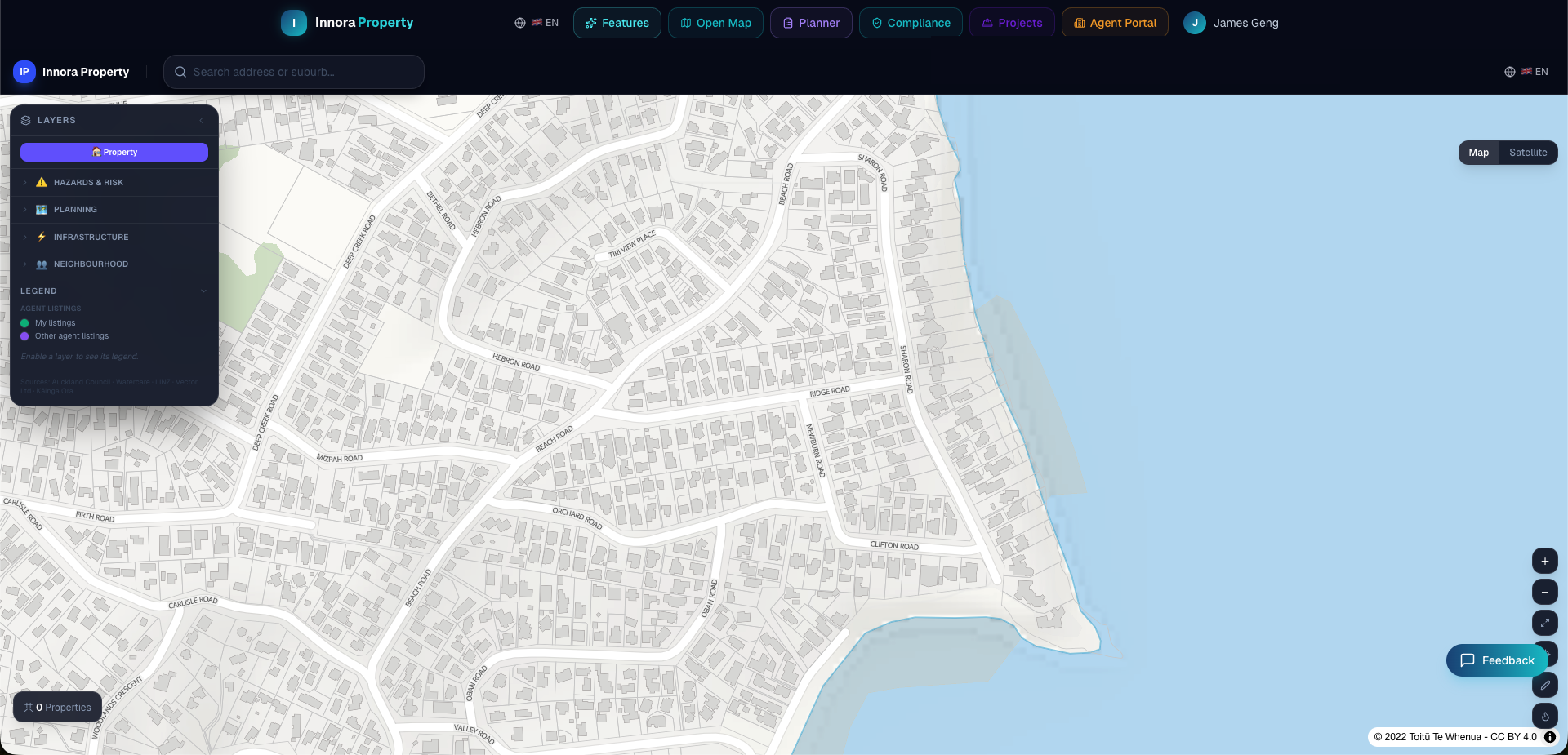
The Property Map is the central workspace of Innora Property. It provides a live, spatially-aware interface to the full property database, council GIS layers, and AI analysis tools.
Searching for a Property
- 1Use the search bar in the top-left of the map to enter a street address, suburb, or city.
- 2The map will fly to the best matching location and drop a pin on the property.
- 3Click the pin or any property marker to open the Property Detail Panel on the right.
- 4To search by coordinates, enter latitude and longitude in decimal degrees (e.g., `-36.8485, 174.7633`).
Navigation Controls
| Action | Mouse / Touch | Keyboard |
|---|---|---|
| Pan | Click and drag | Arrow keys |
| Zoom in | Scroll up / Pinch out | + key |
| Zoom out | Scroll down / Pinch in | − key |
| Reset bearing | — | Shift+arrow |
| Full screen | Use browser F11 | — |
Property Markers
Property markers are colour-coded by zoning classification (AUP colour scheme, consistent with Auckland Council GIS). At lower zoom levels, markers cluster for performance. Zoom in past level 15 to see individual property boundaries.
LINZ Basemap
The map base layer is served from LINZ Basemaps, which uses official LINZ topographic data. This provides accurate cadastral boundaries and road network data across New Zealand.
Manhole Infrastructure Hover
At zoom level 15 or greater, stormwater (SW) and wastewater (WW) manholes are rendered as coloured circles. Hovering over any manhole displays a tooltip with asset type, invert level, and council data source. This data covers 7 cities with over 770,000 total manhole records.
Found an error? Open an issue on GitHub